TOOLS
TOOLS holds two tools with their own YES. TOOL (knob A) picks one. Both follow the generate and apply rules: YES needs RECORD on, FUNC + YES applies, NO puts things back, and the dot shows in the title bar while a result is pending. TOOLS’ knobs are Trig Seedr’s own, not part of any track’s recipe.
| Knob | Name | Values | Default | Shown |
|---|---|---|---|---|
| A | TOOL | ROT ALL, YOLO | ROT ALL | always |
| B | STEPS | −63…+63 | 1 | with ROT ALL |
| B | WILD | 0–100 % | 50 % | with YOLO |
| C | ROLL | 0–9999 | 0 | with YOLO |
ROT ALL
Section titled “ROT ALL”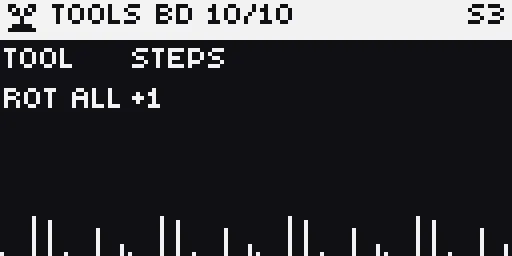
YES rotates every track of the pattern by STEPS (negative is earlier), wrapping at each track’s own length, through the Rytm’s own trig shift: whole steps move with their locks, and the swing bits stay. Tracks in Euclidean mode are skipped. The strip says how many tracks were rotated (ROTATED 13 TRACKS).
ROT ALL is separate from the tracks’ recipes. YES again rotates by STEPS from the originals again. FUNC + YES applies; NO puts every track back. Changing pattern, closing Trig Seedr or turning RECORD off with a rotation pending also puts every track back (NOT APPLIED); changing track does not. YES on another page while a rotation is pending puts the tracks back first.
To rotate one track, use PLACE’s ROT.
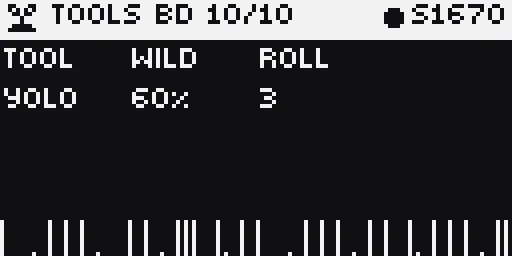
YOLO rolls a whole recipe for the track you are on, so you can hear ideas without setting every page yourself.
- Turn RECORD on, go to TOOLS and set TOOL to YOLO.
- YES rolls: the track’s recipe on every page is replaced by a new one and the take is written so you hear it. The strip shows the roll’s number (ROLL 3) for 2 seconds.
- YES again: the next roll.
- FUNC + YES keeps the roll: the take and the recipe stay. Go through the pages to see what it picked and change it.
- NO puts everything back as it was before your first roll: the track’s trigs and every page’s settings. Changing track or pattern, closing Trig Seedr or turning RECORD off with a roll not kept does the same (NOT APPLIED).
ROLL is the roll’s number: the same ROLL, WILD and track give the same recipe again. While a roll is playing, YES moves on to the next number. After NO or NOT APPLIED, YES brings back the roll you heard, as YES on the other pages brings the take back, so FUNC + YES then keeps it. Turn ROLL to any number and YES plays that roll.
Only the track you are on changes. YOLO never touches other tracks or the shared MAP settings (X, Y, CHAOS), and it keeps your meter (METR, BEAT) and the parameters your lock lanes are on.
What a roll does
Section titled “What a roll does”A setting picked at random over its whole range is mostly unusable: no trigs at all, a condition on every trig, a retrig on every step. So YOLO picks from ranges that suit a drum part, and what the track plays matters: BD rolls kick rhythms; SD, RS and CP backbeats; CH, OH and CY busier hat lines; BT, the toms and CB percussion.
A roll picks a rhythm (often the track’s own trigs; otherwise RAND with the track’s role, EUCLID with a pulse count that suits it, or MAP on the track’s part) and then a few layers from: accents and a velocity shape, a few trig conditions or retrigs, a groove or a human feel, SYNC, a small tune, locks on lock lane 1, a phrase over the pages.
| WILD | A roll |
|---|---|
| 0–39 % | one or two gentle layers, mostly on the track’s own trigs |
| 40–79 % | two or three layers, other rhythms more often; phrases on tracks longer than 16 steps from 40 %, notes from 50 %, locks on lane 1 (the sample slot unless you changed its PARM) from 70 % |
| 80–100 % | three or four layers, wider ranges |